Space Strats Devlog 04: Making the Editor Feel Good to Use
The input, audio, and camera choices that keep arena building quick, safe, and satisfying.
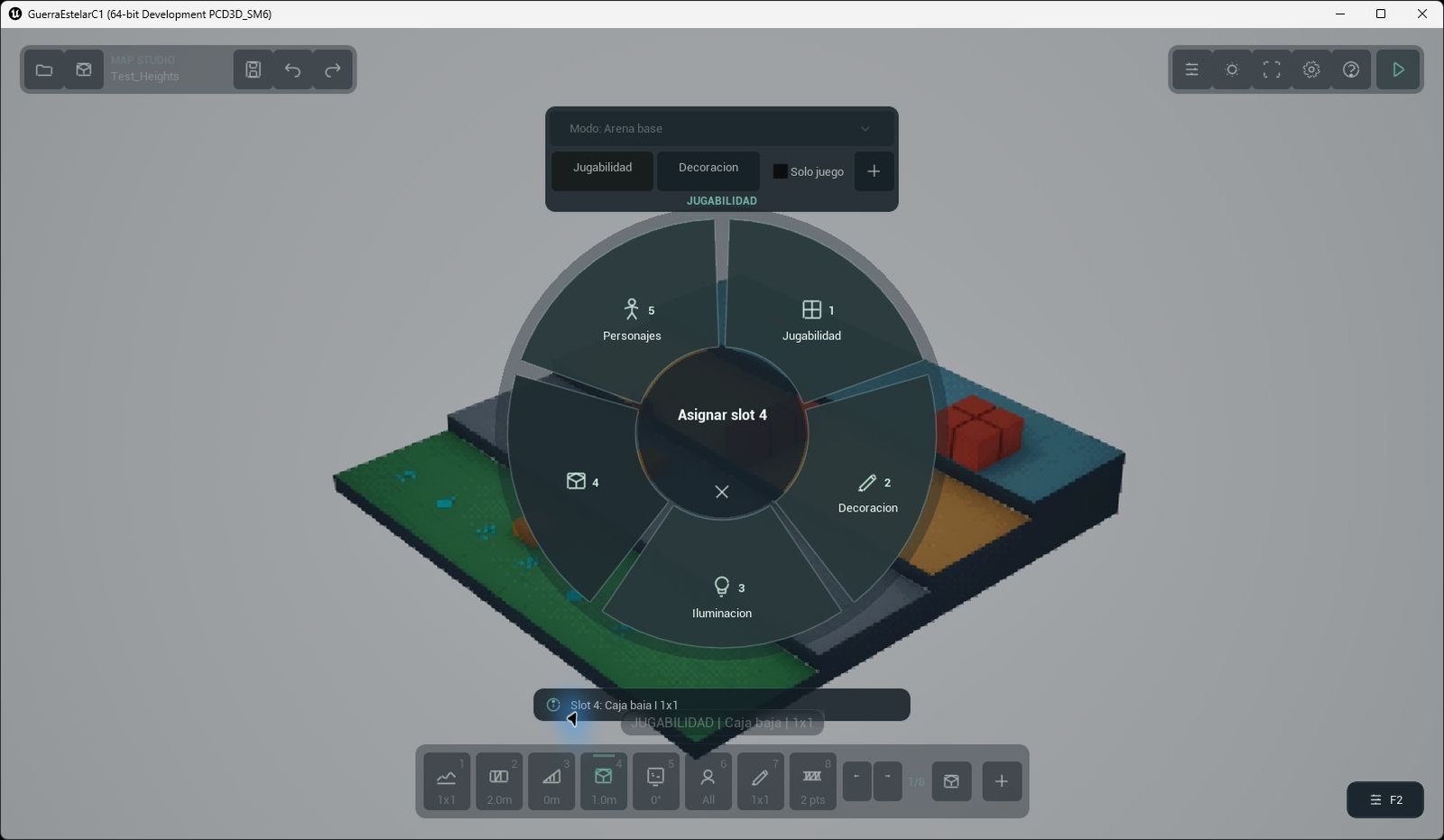
The radial selector groups construction, decoration, lighting, custom objects and temporary character references around the active slot. Captured in Unreal Engine, September 27, 2026; prototype art.
Project overview · Phase 04 / 06
Build a barrier without opening a maze of menus
Select a barrier, point at the arena, and place it with a green preview. Tab moves through eight pages of eight slots, for 64 session links; Shift+Tab returns to the previous page, and 1–8 equips the visible slot. The radial menu remains available when a creator needs to discover a category rather than remember a shortcut.
Let each input keep one job
The wheel changes the value belonging to the active tool: brush strength or radius on terrain, height on a wall, base on a wedge, or material on a surface. Q and E orbit the camera. Shift temporarily widens the view, while F frames the board. The creator starts in an orthographic tactical profile, and Settings can switch between orthographic and perspective profiles. Menus and text fields suspend construction and camera input, so typing a name cannot place a piece behind the panel.
Previews are queries, not approvals. Green means the candidate currently validates; red explains that it does not. Accepted changes pass through the edit session, and Ctrl+Z/Ctrl+Y restore the complete map state, including connections and layers. F5 is a separate editor interaction test: it exercises map interactions and cover damage, then returns to the design state. It is not evidence that the editor itself runs a fully integrated battle.
Make feedback bounded and useful
Placement has a small scale-in animation. Terrain keeps its horizontal footprint closed as its height changes, avoiding a flash of the background underneath a newly raised cell. The intended feeling is a soft response to the edit, with the board remaining visually solid.
The creator audio system maps Place, Remove, Paint, Select, Confirm, Undo, Error, and Interaction to distinct cues. A paint stroke plays one placement effect on its first accepted change rather than one sound per cell or frame. Rejected brush movement does not repeat an error voice, and simultaneous voices are limited so a dense construction session stays clear. Volume, silence, and optional music remain local preferences.
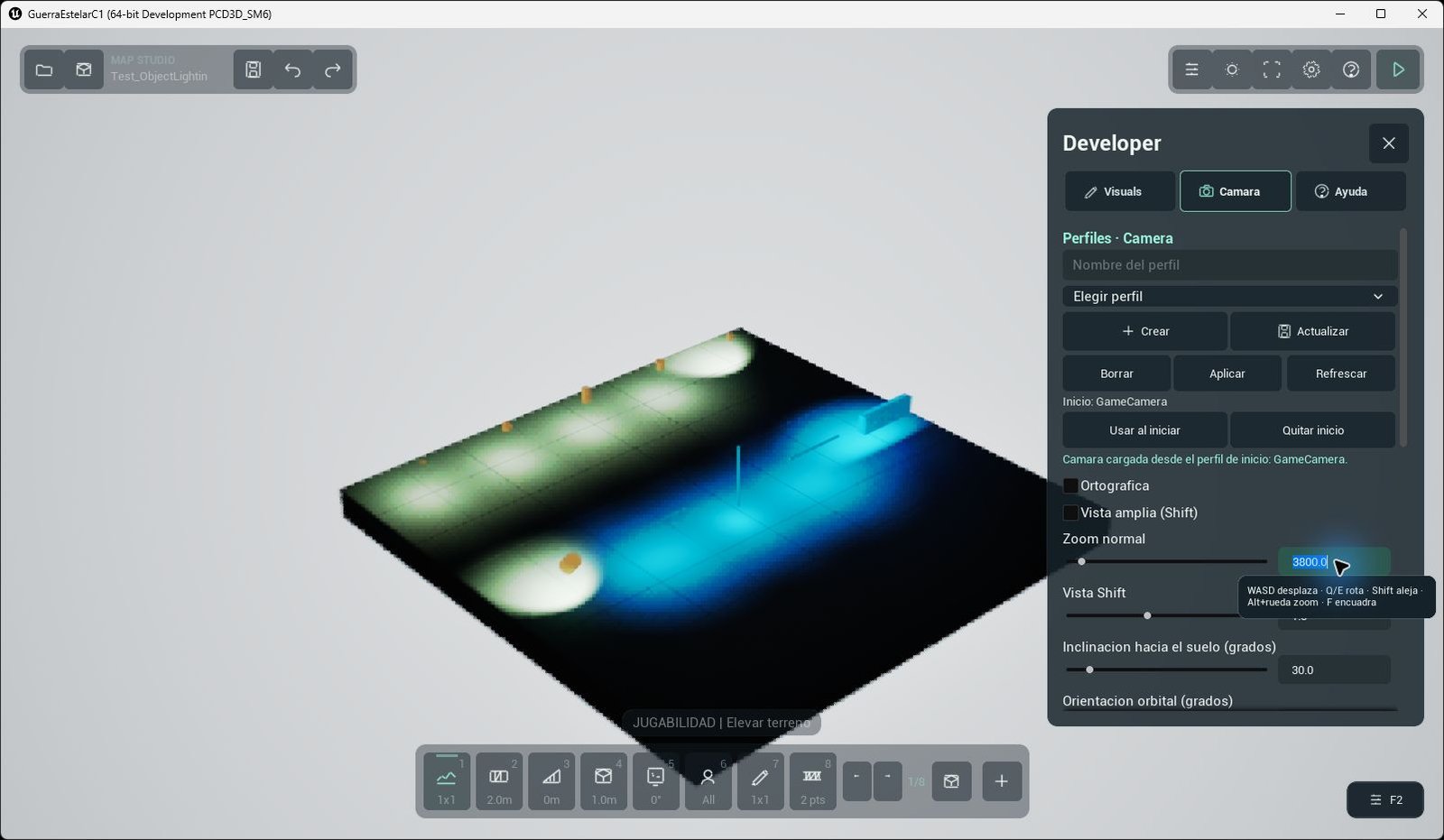
The developer panel exposes projection, zoom, overview distance and camera angle. These settings can be saved as local profiles.
Make inspection comfortable
Pan, orbit, zoom, framing, and map bounds are shared camera behaviour, with modal tools temporarily taking focus. That gives a creator enough control to inspect a wedge face, check a cover edge, or compare a lighting pass without losing the board under the interface. The benefit is practical: a designer can try a route, hear the accepted action, see why a placement was rejected, and recover immediately when the experiment is wrong.