Space Strats Devlog 02: Reusable Objects, Clear Tactical Layers
Why reusable arena pieces stay self-contained while gameplay and decoration remain readable.
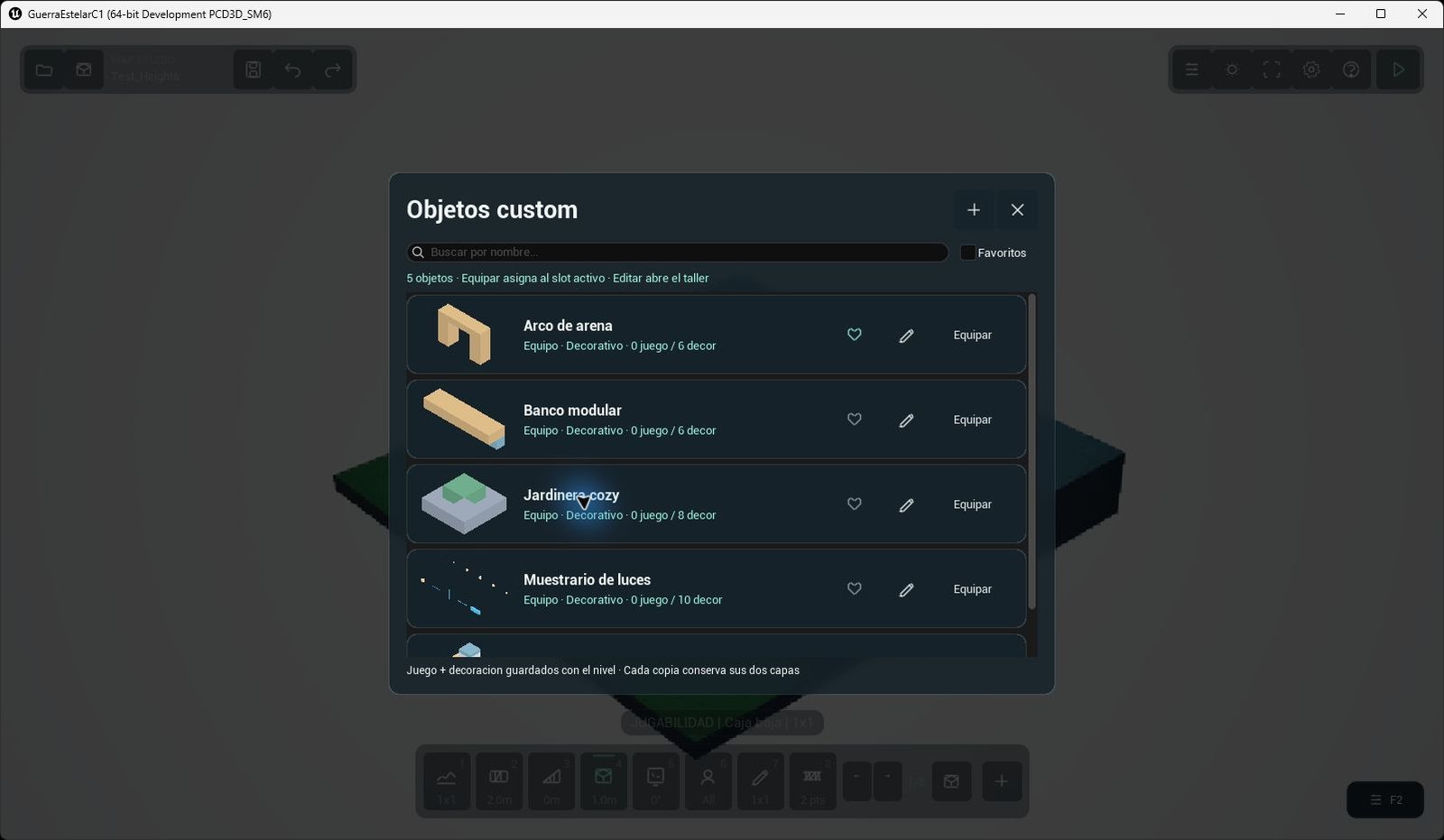
The object library offers visual thumbnails, favorites and quick equipping. Saved examples include an arch, a bench, a planter and a set of lamps. Captured in Unreal Engine, September 27, 2026; prototype art.
Project overview · Phase 02 / 06
Save a checkpoint corner once
Picture a creator assembling a checkpoint corner from terrain, a barrier, a few visual blocks, and lights. They build the object in the workshop on an isolated 8-by-8 guide, save it, and stamp a copy into several arenas. The map keeps each placed copy independent, so later edits to the library do not silently rewrite an existing level.
The workshop can edit terrain, obstacles, wedges, and bridges in the gameplay collection, then switch to visual blocks in Decoration. A group can contain up to 256 pieces across terrain, objects, traversals, details, and lights. Placing or removing the group is one operation, which keeps a cover pocket together when a creator changes the plan. Interactables, spawns, objectives, and fluid sources stay outside these templates because they have their own map-level identity and validation.
Keep rules in the gameplay layer
Tiles, Objects, and Traversals are construction that the tactical runtime can use. Details, Fluids, and Lights are presentation. The library marks mixed pieces so a creator can see that a saved group contains both responsibilities. The gameplay-only view hides the decorative collections and leaves the gameplay skeleton available for inspection.
A decorative block can look like a pillar, but it does not block movement, take damage, or change line of sight. A barrier in the checkpoint corner still matters when the lights and visual blocks are hidden. The gameplay-only view exposes this distinction during authoring. Creators still need to check that their decoration does not visually suggest a blocked route where the rules allow passage.
Build detail at a controlled scale
The optional Developer construction toggle exposes experimental half-metre obstacle heights. Decorative blocks use four horizontal sizes: 25, 50, 100, and 200 centimetres. Their height is also set in 0.5-metre steps, with snapping to 25-centimetre subcells. The toggle changes experimental gameplay height controls; it does not turn decoration into collision or change the combat grid.
Reuse without losing control
Tab advances through eight pages of eight slots, giving 64 session links; Shift+Tab goes back, and 1–8 selects within the visible page. A creator can find the saved checkpoint quickly, compare it in two arenas, and undo the whole stamp if the sightline is wrong. The result is speed with a known boundary: reusable pieces carry their construction and presentation, while the arena and combat systems retain authority over what actually happens.
← Building Arenas · Next: Atmosphere, Lighting, and Bounded Fluids